On your TradingView chart(s), follow the below steps to find an advanced technical analysis summary :
1)Open your TradingView chart.
2)Make sure your watchlist is open on the right-hand side.
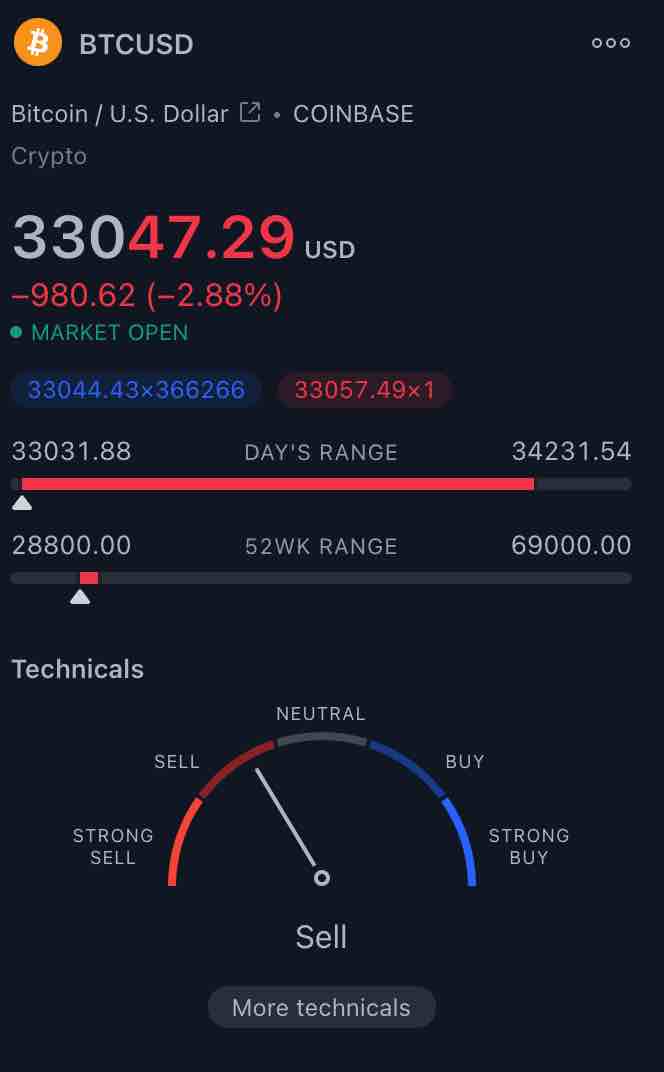
3)On the far bottom right-hand side you will see, the analysis and summary widget.
4)Scroll down until you see the technicals section with Buy/ Sell dashboard.
5) Click on the ‘more technicals’ text – This will open the Technical analysis summary dashboard.
7) Click on different time frame options on the top (minutes/hour / week / month ) to get Moving Averages / Indicators / Pivots data.

TradingView Chart Technicals – Click on more technicals!

Tradingview Chart Technicals – Advanced Technical Dashboard
Pro Tip: Press Cmd – or Cmd + (Mac ) or Ctrl – or Ctrl + ( Windows ) on your keyboard to Zoom /In or Zoom/ Out of the graph!
Next Read: How to capture an image of your Tradingview chart?